From local network checks to cloud visibility in minutes.
Install a secure Windows agent at each site, let it run local network checks, and view site health, latency, uptime, and device status from the Xerixos cloud dashboard.
Basic monitoring is free for life within published plan limits. Upgrade only when you need deeper device visibility.
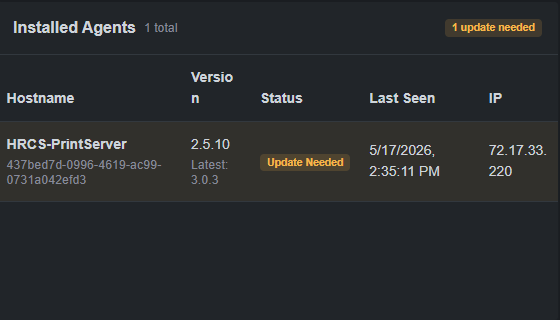
Start monitoring in three core steps.
Step 1
Create your account
Sign up for a free Xerixos account and create your first site or client location.
Step 2
Install the agent
Install the Windows agent on a device inside the network you want to monitor.
Step 3
View network health
The agent reports site health, connectivity, latency, uptime, and local check results to your dashboard.
No sales call or contract is required to start basic monitoring.
How the components connect.
Cloud Dashboard
View site health, agent status, latency, uptime, monitored devices, and client dashboards.
Secure communication
Agent traffic is sent securely to the cloud using HTTPS and signed agent requests.
Windows Agent
Runs from inside the local network and performs local checks that cloud-only tools may miss.
Local network devices
Checks gateways, DNS, connectivity, and optional ping/TCP/SNMP targets where configured.
What the Windows agent reports.
Site health
- Site heartbeat
- Online, warning, and offline status
- Last check-in time
Connectivity
- Gateway reachability
- DNS checks
- Monitor server reachability
- Latency and response time trends
Device & network details
- Hostname and device information
- Network interface details
- Local IP information
- Discovery results where enabled
Optional monitored targets
- Ping checks
- TCP service checks
- SNMP checks where supported
- Per-device status and last check result
Why an on-site agent matters.
Many network problems are invisible from the public internet. A local agent can detect issues from inside the environment, including gateway failures, DNS problems, internal device outages, switch or access point issues, and LAN-level behavior that outside-only monitoring can miss.
Cloud-only monitoring may miss
- Internal DNS failures
- Gateway reachability problems
- Local device outages
- LAN-side latency
- Switch and access point issues
- Site-specific connectivity problems
Xerixos local checks help show
- Whether the site is checking in
- Whether the local gateway is reachable
- Whether DNS/connectivity is healthy
- Whether configured devices are responding
- Whether latency is trending upward
- Whether optional targets are failing
Start free. Upgrade when you need deeper visibility.
Every account can begin with free basic monitoring. When you need to monitor individual network devices, use ping/TCP/SNMP checks, or expand monitored-device limits, paid plans unlock deeper visibility.
Free basic monitoring
- Site dashboard
- Windows agent check-ins
- Basic connectivity checks
- Online/offline visibility
- Last 24-hour connectivity overview
Paid monitoring
- Monitored network devices
- Ping and TCP checks
- SNMP checks where supported
- Device health details
- Expanded monitored-device limits
- Better visibility for MSPs and multi-site environments
Install your first agent and see what your network is doing.
Create a free account, add your first site, and start monitoring basic network health in minutes.